
GMGN Bot for Beginners: Smart Money Tracking + Your First Safe Trade in Under 5 Minutes
GMGN Bot for Beginners: Smart Money Tracking + Your First Safe Trade in Under 5 Minutes
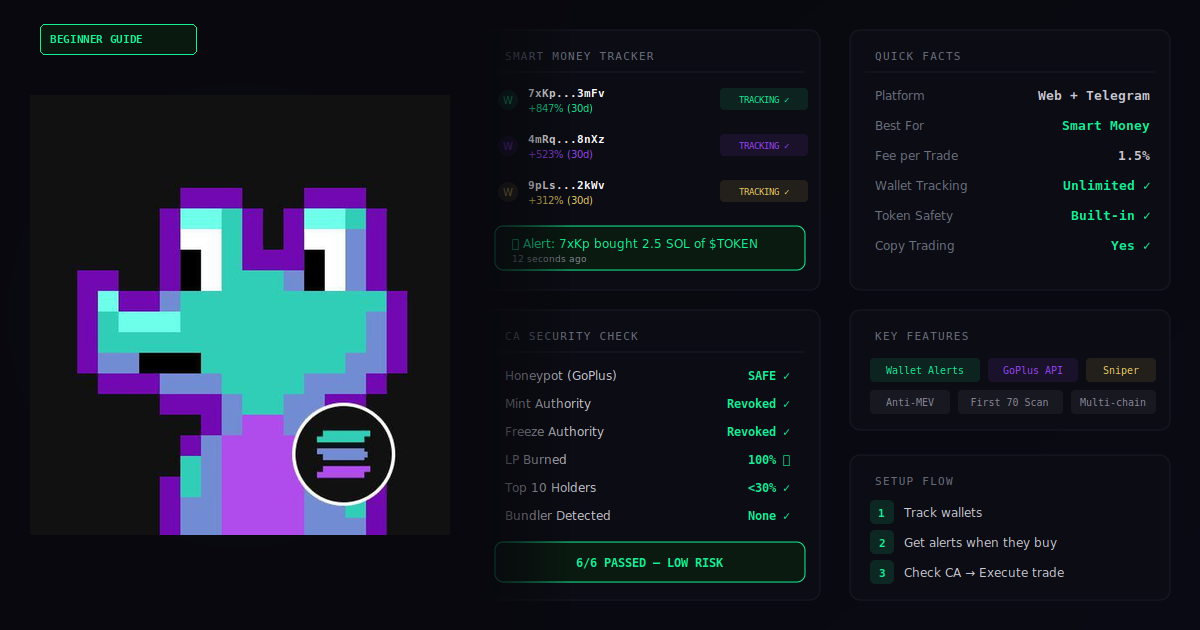
You Want to See What the “Smart Money” Is Buying. I Get It.
If you’re looking for a GMGN bot for beginners guide, you’re in the right place. You’ve probably heard people talk about “following whale wallets” or “copying smart money” on Solana. Maybe you’ve seen a screenshot of someone turning a small amount of SOL into a big win by tracking what successful traders buy.
And your first thought was: “That sounds useful, but I have no idea how to actually do it.”
That’s a reasonable thought. Most beginners don’t lose money because the tools are bad — they lose money because they skip the setup, ignore the settings, and rush in with too much capital.
This guide is different.
I’m going to walk you through GMGN — a hybrid trading platform with both a web terminal and a Telegram bot for Solana — step by step. No confusing jargon. No skipped steps. And most importantly, no pressure to risk more than a few dollars.
By the end of this article, you’ll have GMGN set up on both your phone and desktop, configured safely, and you’ll have completed your first small test trade — with full control. That’s the whole point of this GMGN bot for beginners guide.
Ready? Let’s go.
Or start on the web: gmgn.ai · Not sure which bot to use? Verify on GMGN’s official bot list
GMGN Bot for Beginners — What You’ll Learn (30-Second Summary)
- ✅ Open GMGN on Telegram or in your browser — your choice
- ✅ Create a Solana wallet inside the bot
- ✅ Understand the key settings (slippage, priority fees, Anti-MEV)
- ✅ Track smart money wallets to see what experienced traders are buying
- ✅ Make a small, safe test trade — just to learn the flow
- ✅ Know exactly what to do next
Total time: Under 5 minutes (if you already have SOL ready. If you need to buy SOL first, allow 10–20 minutes.)
No coding. No complicated downloads. No experience needed.
What Is GMGN Bot on Solana? (Plain English, No Jargon)
GMGN is a trading platform built specifically for the Solana ecosystem — and it works in two places at once. If you’ve searched for a GMGN bot for beginners, the hybrid setup is exactly why this platform stands out.
Think of it like this:
The web terminal at gmgn.ai is your research desk — you scan tokens, check charts, and track wallets from your browser. The Telegram bot is your quick-action tool — you buy, sell, and manage trades from your phone. Both connect to the same wallet.
Here’s what GMGN can do:
- Buy and sell Solana tokens — from Telegram or from the web terminal
- Smart money tracking — watch what profitable wallets are buying and selling in real time
- Copy trading — automatically mirror trades from wallets you choose to follow
- Token security checks — GMGN scans contracts for key risk signals including liquidity depth, holder concentration, and when available, mint authority and freeze authority status
- New token alerts — get notified when fresh tokens launch or start trending
- Anti-MEV protection — helps protect against sandwich attacks where bots front-run your trade (according to GMGN’s fee documentation, this requires a priority fee of at least 0.002 SOL to enable)
What makes this GMGN bot for beginners friendly?
I’ve spent hundreds of hours testing Solana trading bots and writing beginner-friendly setup guides. Here’s what stood out about GMGN:
- Hybrid platform: GMGN works as both a web terminal (gmgn.ai) and a Telegram bot. Scan tokens on desktop, trade quickly from your phone — same wallet, same positions.
- Built-in token analysis: Before you buy anything, GMGN shows you contract security checks, holder distribution, and liquidity data. This helps beginners avoid obvious scams.
- Multi-chain support: GMGN works on Solana, Ethereum, Base, BNB Chain, and Tron — so you’re not locked into one ecosystem.
- No subscription: According to GMGN’s official fee documentation, GMGN charges a 1% fee per executed transaction, with no additional hidden or recurring charges.
GMGN vs Trojan vs Bloom (Quick Comparison)
If you’re deciding between Solana trading bots, here’s a quick GMGN bot for beginners comparison focused on what matters most:
| Feature | GMGN | Trojan | Bloom |
|---|---|---|---|
| Best for | Research + smart money tracking | Speed + deep feature set | Simple mobile-first setup |
| Interface | Web terminal + Telegram | Telegram + Web | Telegram + Chrome extension |
| Token security checks | Built-in (sellability, authority, LP) | Basic | Basic |
| Smart money tracking | ✅ Core feature | Limited | Limited |
| Beginner-friendly | High (if you use the web terminal) | Medium (more settings to learn) | High (minimal setup) |
| Trading fee | 1% (source) | 0.9% w/ referral (source) | Varies (check in-app) |
For a full breakdown with setup guides for each bot, see our main comparison guide.
Why Start From This Link?
Fair question. Here’s the honest answer.
When you open GMGN through this Telegram link or this web link, you’re using a referral link. This does two things:
- You may receive a fee discount. GMGN’s referral system is designed to give referred users a benefit. In practice, this can reduce your net trading cost.
- I get a small referral reward. This is how I keep writing free guides like this one.
In most cases, there’s no functional downside — but always double-check the fee and discount terms shown in your GMGN dashboard. Same platform, same features, same security — but with a potential fee reduction from day one.
If you open GMGN by searching for it yourself (without a referral), you may miss the discount. So if you’re going to try this GMGN bot for beginners setup anyway, start through a referral.
Don’t worry — clicking this link doesn’t commit you to anything. You can explore the dashboard before doing anything.
GMGN Bot for Beginners — Pre-Setup Checklist
Before we start this GMGN bot for beginners setup, make sure you have these:
- Telegram installed on your phone or desktop (for the Telegram bot)
- A modern browser — Chrome, Brave, or Firefox (for the web terminal)
- A small amount of SOL — $5 to $10 is plenty for your first test
- 5 minutes of uninterrupted time (if you already have SOL ready — if you need to buy SOL first, allow 10–20 minutes)
Before you start, confirm all three of these:
1. This article links to one GMGN bot via a referral start code. GMGN also operates multiple official bots for different chains and regions. Always verify the exact username on GMGN’s official bot list. Watch for scammers who swap a capital “I” for a lowercase “l” to create fake bots that look identical.
2. You opened it from gmgn.ai or the link in this article — not from Telegram search or a random group.
3. GMGN admins will never DM you first or ask for your private key. If someone does, it’s a scammer — GMGN’s safety tips confirm this.
If anything looks off, close it immediately and verify against the official bot list.
You can use GMGN via Telegram only, web only, or both. This guide covers the Telegram bot setup first (fastest for beginners), then shows you how to connect the web terminal.
Got everything? Let’s set up.
GMGN Bot Setup (Telegram): Step-by-Step
-
Open the GMGN Telegram Bot
→ Tap this referral link to open GMGN in Telegram: https://t.me/GMGN_sol_bot?start=i_OszsqHmD
→ Telegram will open with GMGN’s chat window.
→ Tap “Start” at the bottom.
→ If the bot doesn’t open correctly or the username looks different, verify on the official bot list and use the Solana bot listed there.🔧 Stuck? If Telegram doesn’t open, install Telegram on your device first, then come back here and tap the link again.
-
Create Your Wallet
→ GMGN will auto-generate a new Solana wallet for you on first use.
→ You’ll see a wallet address (a long string starting with a letter or number).
→ Go to the “Wallet” section and tap to export your private key.
→ Write the private key down on paper. Store it offline.⚠️ This is your master key. If you lose it, nobody can recover your funds. Never share it with anyone — not me, not “GMGN support,” not anyone in a Telegram group. If someone asks for it, it’s a scam.
Do NOT screenshot your private key — screenshots may sync to cloud backups (iCloud, Google Photos) and become a security risk. Write it on paper only.
-
Send a Small Amount of SOL
→ Copy your new wallet address from GMGN (tap on it).
→ Open the app where you hold SOL (Phantom, Coinbase, Binance, etc.).
→ Send $5 to $10 worth of SOL to the copied address.🕐 Solana transfers usually arrive in under 10 seconds. If it takes more than 2 minutes, double-check the address.
🔧 Don’t have SOL yet? Buy $10 worth on any major exchange, then send it to your GMGN wallet address.
-
Check Your Balance
→ Back in the GMGN chat, tap “Wallet”.
→ You should see the SOL you just sent (minus a tiny network fee).If it shows up — you’re ready.
-
Adjust Safety Settings
Do not skip this step. This is where most GMGN bot for beginners mistakes happen.
→ In the Telegram bot, go to Settings.
→ Configure these four things:Slippage:Start at 5–8% for memecoins, or 1–3% for established tokens. If a trade fails, increase by +2–3% and retry. Only go 10%+ during very fast launches. GMGN also offers “Auto Slippage,” but manual control is safer while learning. (See our best slippage settings for Solana bots)Note: GMGN’s docs recommend higher slippage (30–50%) for auto orders and very hot tokens. This guide starts lower because your first goal is a safe manual test trade, not max speed.
Priority fee:Start at 0.001–0.003 SOL. This is paid to Solana validators for faster confirmation — GMGN does not collect it. Increase during network congestion. (See our Solana priority fees explained)Tip fee:Start at 0.001 SOL. This is an additional speed fee that may be routed to private nodes for faster processing, depending on GMGN’s current submission method.Buy amount:Set a small default you’re comfortable losing entirely (e.g. 0.05 SOL).💡 What’s slippage? It’s the maximum price shift you’ll accept between clicking “buy” and the trade going through. Think of it like buying coffee for $5 — a 10% slippage means you’re OK paying up to $5.50 if the price moves while you’re at the register.
Note: Menu names may vary slightly depending on updates. Look for keywords like “Slippage,” “Priority,” “Tip,” and “Buy Amount.” If your trade fails, try increasing slippage by 2–3% and retry. See our guide on why Solana bot trades fail for troubleshooting.
-
Make Your First Test Trade
→ Browse trending tokens inside GMGN, or paste a token contract address.
→ Before buying, check the token security info — GMGN shows sellability risk, liquidity status, authority flags, and holder distribution right on the token page.
→ Tap “Buy”.
→ Confirm the amount (should be the small default from Step 5).
→ Confirm the transaction.You’ll see a confirmation showing how much you paid, how many tokens you got, and a transaction link you can verify on a Solana explorer like Solscan.
🎉 That’s it. You just made your first trade using GMGN.
→ To sell: tap on your position and hit “Sell”. You can sell all or part.
Do not import your main savings wallet into GMGN. If any setup flow asks for your seed phrase, close it immediately — it is a scam. The real GMGN bot generates a new wallet for you or lets you import a private key for a dedicated trading wallet. Never use your primary holdings wallet.
Connect GMGN Web Terminal (gmgn.ai)
The Telegram bot is great for quick trades. But for any GMGN bot for beginners user, the web terminal is where the real research power lives — this is where you scan tokens, track wallets, and do research before buying anything.
How to connect
1. Go to gmgn.ai in your browser.
2. You can sign in via Telegram or connect a wallet directly.
3. If you use the same wallet as your Telegram bot, your positions sync across both interfaces.
The web terminal shows charts, holder analysis, token security data, and smart money activity — all in one screen. Use it for research, then execute trades from whichever interface you prefer.
GMGN’s Killer Feature: Smart Money Tracking
This is the main reason many choose GMGN bot for beginners over other trading tools. Here’s how smart money tracking works in plain terms:
What is “smart money” tracking?
GMGN monitors the Solana blockchain and identifies wallets that have a history of profitable trades. You can see what these wallets are buying, selling, and holding — in real time.
This doesn’t mean you should blindly copy every trade. But it gives you data that most beginners don’t have: what are experienced traders actually doing right now?
How to use it safely: Watch a few wallets for a week before copying anything. See their win rate, their loss rate, and their average hold time. If a wallet looks consistently profitable, you can consider following it with a very small amount. Never follow a single wallet with large capital.
“Smart money” doesn’t mean “always profitable.” These wallets can and do lose money. Following them is a research tool, not a guarantee. Some wallets that appear profitable may be manipulating token prices. Always verify with your own analysis and only risk what you can afford to lose.
Also note: GMGN has moved official alert channels to private channels to reduce scam ads. If you see a “GMGN” public channel, verify it’s legitimate before trusting any signals.
GMGN Bot for Beginners — Your First Safe Test
Let me be direct: trading memecoins is risky. Most new tokens lose value. Some go to zero. This is not a “get rich quick” guide — it’s a GMGN bot for beginners safety-first walkthrough.
Here’s how to minimize risk while learning:
Rule 1: Only use money you can afford to lose completely.
Your first $5–10 is tuition. You’re paying to learn. If it goes to zero, you’ve learned a valuable lesson for cheap.
Rule 2: Start with $5–10. Not $50. Not $100.
Get comfortable with the mechanics first — buy, sell, check slippage, review token security. THEN increase. Not before.
Rule 3: Don’t chase hype.
If someone on Twitter says “THIS TOKEN IS GOING 100X” — that usually means it already went up and you’re about to buy the top.
Rule 4: Check the token before buying.
GMGN shows security data for every token — sellability risk, liquidity depth, mint/freeze authority status, and top holder concentration. If something looks suspicious, skip it. There will always be another opportunity.
Rule 5: Use the features.
GMGN has take-profit and stop-loss automation. Use them. They exist so you don’t have to stare at your phone all day. Check the bot’s settings for how to configure auto-sell.
Suggested first test amounts:
- Very cautious: $3–5
- Standard beginner: $5–10
- Comfortable with crypto: $10–20
These are NOT investment recommendations. They’re reference points for learning.
Why This Approach Works (The Science Behind It)
You might wonder: “Why are you telling me to start so small? Why not just go for it?” Every GMGN bot for beginners guide worth reading will tell you the same thing — and here’s the research behind it:
Loss aversion (Kahneman & Tversky): People feel losses about twice as strongly as gains. If you start with $100 and lose $50, you’ll feel terrible — and probably quit forever. If you start with $5 and lose $3, you’ll think “OK, that was interesting. Let me try again smarter.” Same lesson, completely different emotional outcome.
Cognitive load theory: When you’re learning a new tool AND making financial decisions at the same time, your brain gets overloaded. By keeping the money tiny, you remove the financial stress and can actually focus on learning how the platform works.
Minimum viable test: In security and risk management, there’s a principle called “minimum viable exposure.” You test a system with the smallest possible stake before committing more. Professional traders do this. You should too.
Separation of funds: Never put all your crypto in one place. Keep your main holdings in a hardware wallet or secure app. Only send small amounts to your trading bot for active use. If anything goes wrong with one tool, your main funds stay safe.
GMGN Bot for Beginners — FAQ (Honest Answers)
Q1: “Is GMGN a scam?”
GMGN is designed as a non-custodial platform — meaning you hold your own wallet keys, not GMGN. According to their official fee documentation, the platform charges a 1% transaction fee with no hidden charges. That said, like ANY trading tool, if you make bad trades, you lose money. That’s trading, not a scam. Always verify you’re using a bot from GMGN’s official bot list, and never trust anyone who DMs you first claiming to be “GMGN support.”
Q2: “Is it hard to use?”
The Telegram bot is buttons and menus — no coding, no command lines. The web terminal has more features but is laid out clearly. If you can use Telegram and a web browser, you can use GMGN.
Q3: “What if I lose money?”
You probably will lose some money while learning. That’s normal. That’s why we start with $5–10 — so the “tuition” is cheap. No trading bot or platform guarantees profits.
Q4: “What are the fees?”
According to GMGN’s official fee documentation: a 1% fee per executed transaction. On top of that, you pay Solana network fees, plus optional priority fees and tip fees that go to validators and nodes — not to GMGN. No subscription, no hidden charges. With a referral link, you may receive additional fee benefits.
Q5: “What about taxes?”
Crypto trades may be taxable in your country. In the US, each trade is a taxable event. GMGN doesn’t file taxes for you. Keep records of your trades. Consult a tax professional if you’re unsure.
Q6: “Can I get hacked?”
The biggest risk is giving away your private key to a phishing scam. Never share your private key, never enter it on unverified sites, enable 2FA on Telegram. According to GMGN’s safety tips, official admins will never DM you first or ask for your keys.
Q7: “What’s better — GMGN, Trojan, or Bloom?”
Each bot has strengths. GMGN excels at smart money tracking, token security checks, and the hybrid web + Telegram setup. Trojan is preferred for raw speed and deep features. Bloom is simpler for mobile-first beginners. No single “best” for everyone. See our full comparison.
Q8: “What if I want to stop?”
Withdraw your SOL back to your main wallet. You own the private key — no lock-in, no cancellation fee.
Q9: “Can I use web and Telegram at the same time?”
Yes. The web terminal and Telegram bot connect to the same wallet. Positions sync. Use the web for research, Telegram for quick trades.
Q10: “What’s Anti-MEV and should I turn it on?”
Anti-MEV protection helps prevent sandwich attacks. According to GMGN’s fee documentation, enabling it requires a priority fee of at least 0.002 SOL. Leave it off for first test trades; turn it on for larger amounts.
Real GMGN Bot for Beginners Scenarios
Scenario A: “I’ve Never Traded Crypto Before”
Alex opened GMGN through a referral link, sent $5 in SOL, and spent 10 minutes browsing the web terminal to understand token security data. His first test buy went down 15%. He sold and lost about $0.75. But he learned how to buy, sell, check security data, and verify on Solscan. The next week, he spotted a token early by watching a smart money wallet and made $3 on a $5 trade. Three weeks later, he increased to $20. Slow, steady, no panic.
Scenario B: Busy Professional — “I Have 10 Minutes a Day”
Maria set up GMGN in under 5 minutes, added three smart money wallets to her tracking list, and enabled Telegram alerts. She checks GMGN twice a day, reviews security data on flagged tokens, and occasionally makes a small trade. Total time: ~10 minutes per day.
Scenario C: Security-Focused — “I Don’t Trust Anything”
Ken created a new Telegram account for GMGN, uses a separate wallet (never his main), keeps only $15–20 in it, wrote his private key on paper, enabled 2FA, and always checks GMGN’s contract security data before buying. Main portfolio stays in cold storage.
It’s Time to Start
You’ve read the guide. You understand the risks. The GMGN bot setup can take under 5 minutes if you already have SOL ready — and costs nothing until you trade.
Start with a burner wallet and a tiny test trade first — then scale up only after you’ve verified every step.
Prefer the web? Start at gmgn.ai instead.
Then follow Steps 1–6 above. That’s it.
GMGN Bot for Beginners — 3-Line Quick Start
2. Settings: Slippage 5–8%, Priority fee 0.001–0.003 SOL, small buy amount
3. Browse tokens → Check security data → First small test buy
(Verify bot username on GMGN’s official bot list.)
GMGN Bot for Beginners — Completion Checklist
- Opened GMGN through the referral link (fee discount activated)
- Tapped “Start” and created my wallet
- Saved my private key in a safe offline location
- Enabled 2FA on my Telegram account
- Sent a small amount of SOL ($5–10) to my GMGN wallet
- Confirmed my balance shows up in the bot
- Set slippage to 5–8% for memecoins (or 1–3% for established tokens)
- Set priority fee to 0.001–0.003 SOL
- Set a small default buy amount
- Checked token security data before buying
- Made my first test trade
- Verified the transaction on a Solana explorer
- Know how to sell my tokens
- Bookmarked the GMGN web terminal (gmgn.ai)
All boxes checked? You’re officially set up. Welcome to GMGN. 📊